

Dry cooling, tube to tower
DraftSolver is an online application for the thermal and draft performance of dry-cooling systems. A case describes one plant, every analysis runs on that case, and every result names the equations that produced it.
How a case is worked
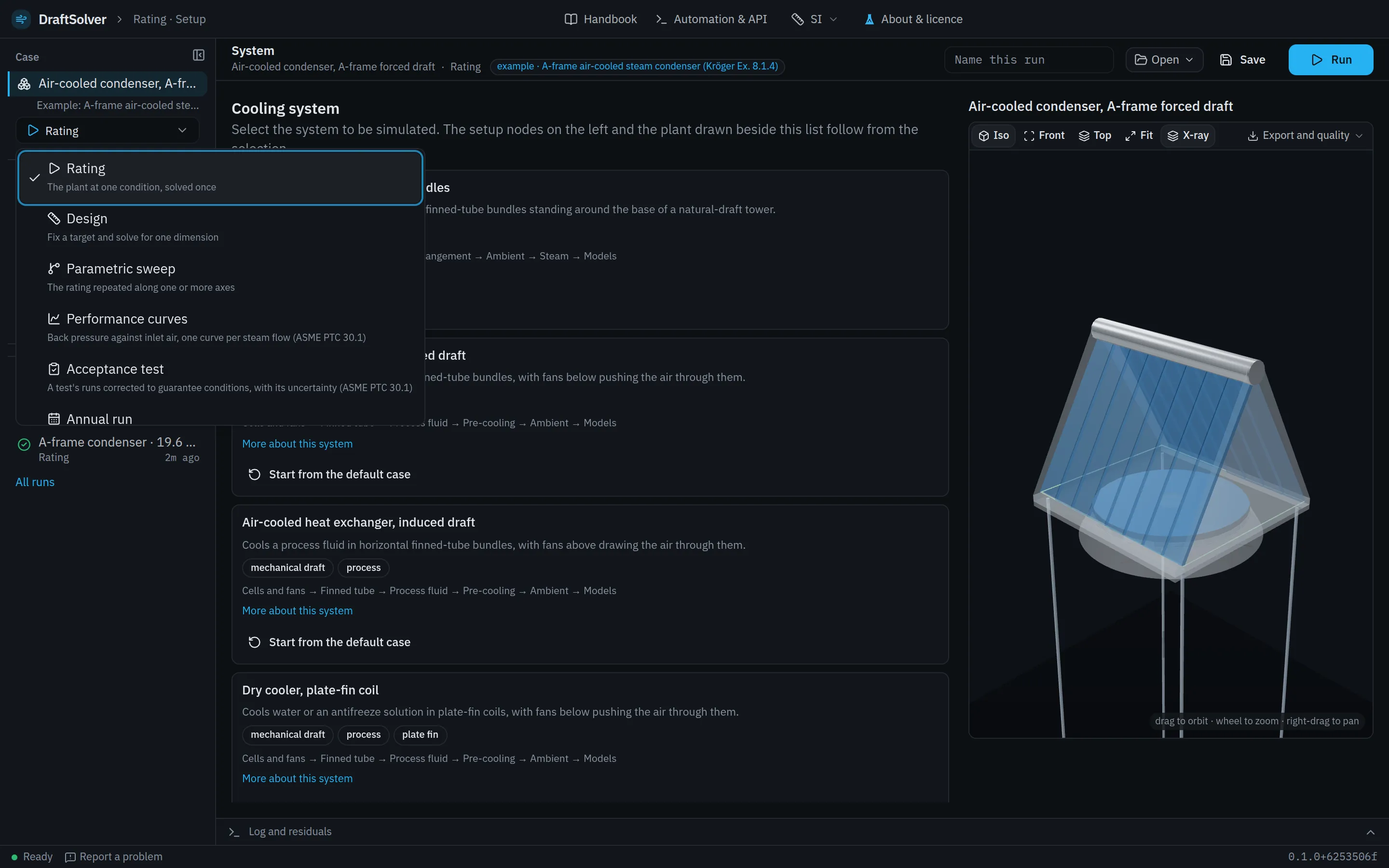
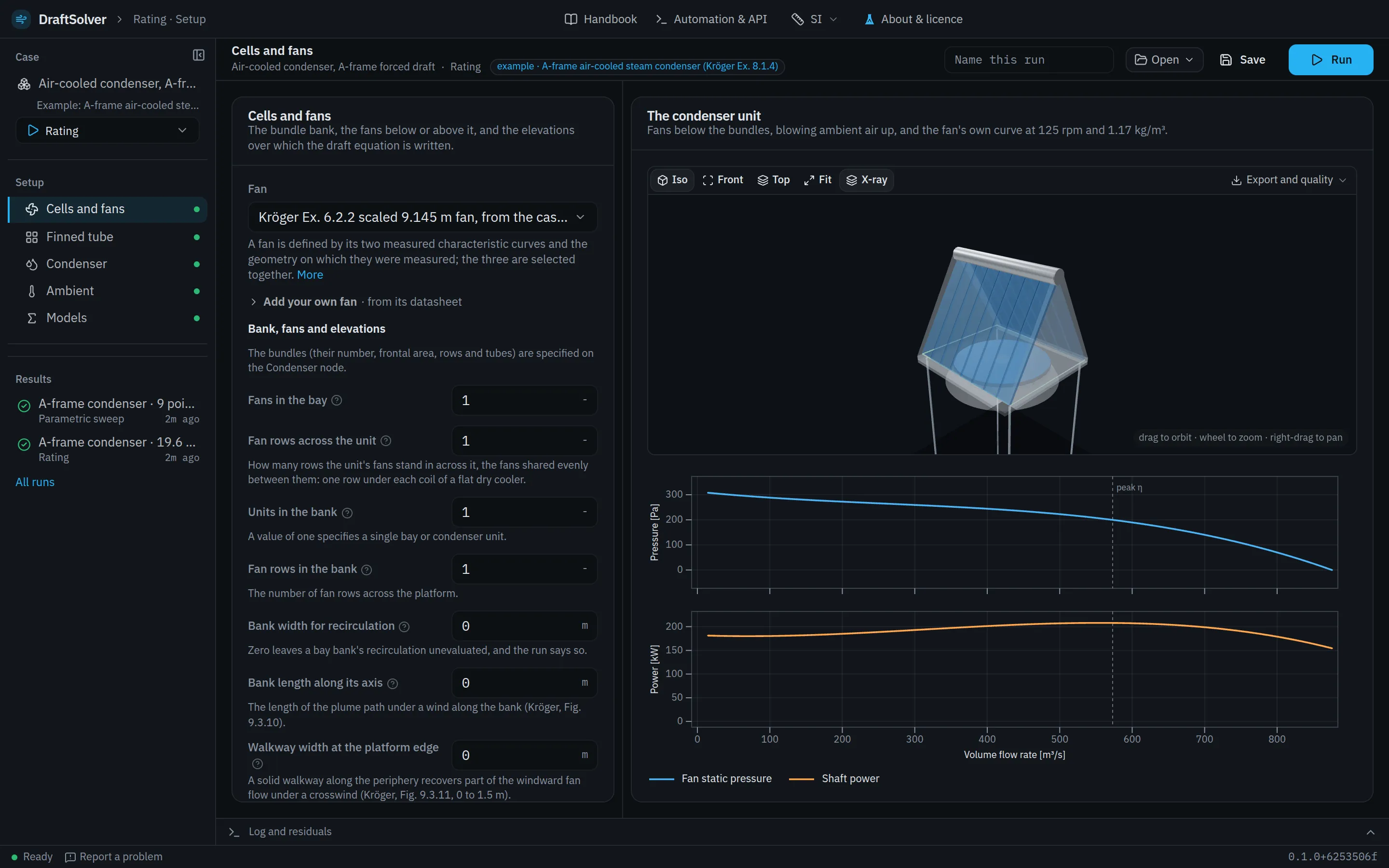
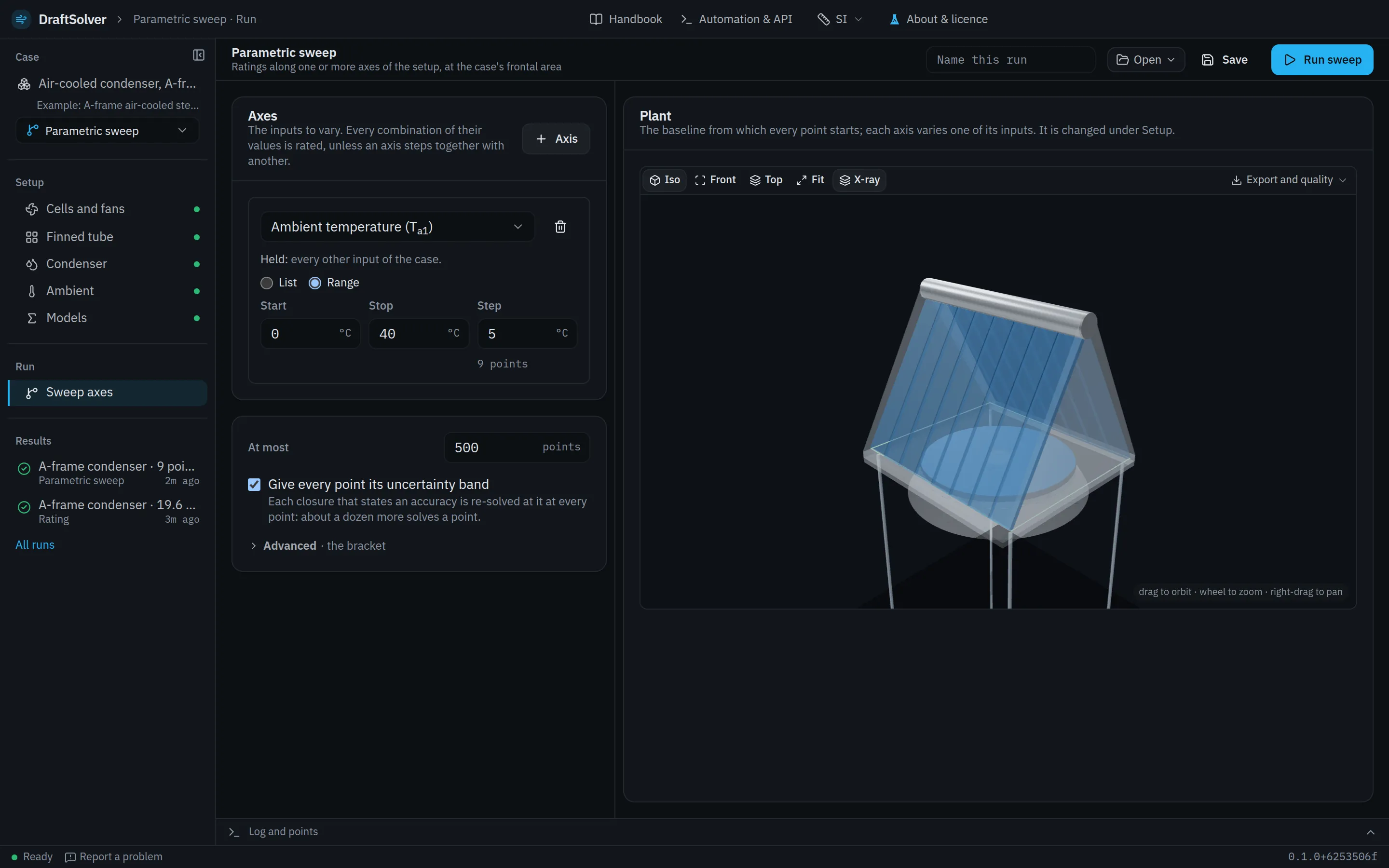
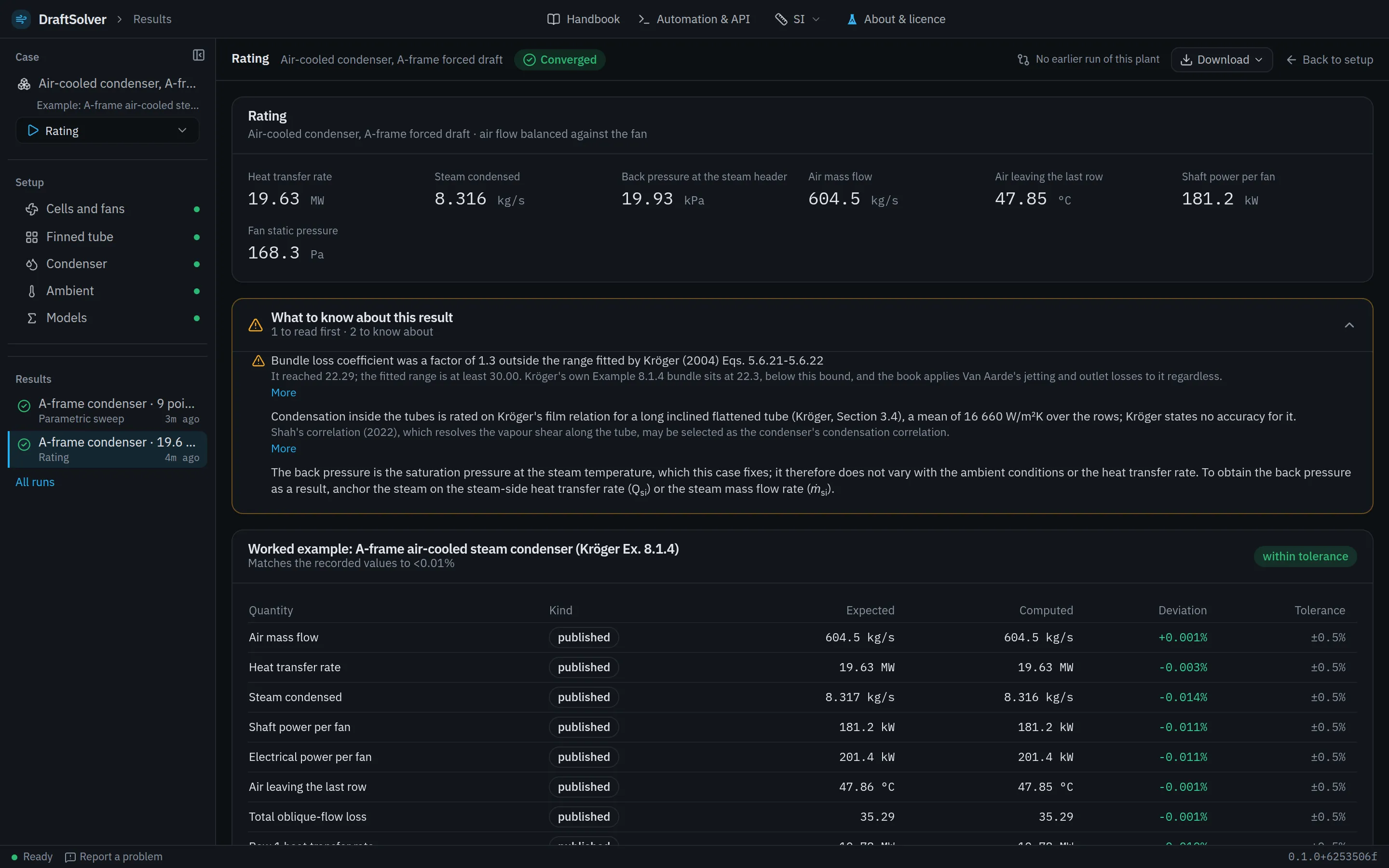
The app's workspace follows the case in four steps, the same for every system and every analysis. Below the plant's figures, a rating's results list what to know about the result, where the losses are and the equations that produced it, each linked to its Handbook page. The screens are the app's own, on the A-frame condenser of Kröger's Example 8.1.4, one of the worked examples the app ships.
The system and the analysis. A case is saved as one file and opened again with its setup and its run settings.
The plant node by node: the tower shell or the cells and fans, the finned tube, the bundles, the fluid, the ambient and the models. Each node shows whether its fields are valid before anything runs.
The analysis's own settings: a sweep's axes, a design target, a test's data, a year's weather, a transient's scenario.
The plant's figures, the findings graded by how much they matter, the equations that produced the result, and the datasheet.
The nine systems
Air-cooled condensers
- Air-cooled condenser, A-frame forced draft
Condenses turbine exhaust steam in A-frame bundles, with fans below pushing the air through them.
- Air-cooled condenser, A-frame induced draft
Condenses turbine exhaust steam in A-frame bundles, with fans above the apex drawing the air through them.
Dry coolers
- Dry cooler, plate-fin coil
Cools water or an antifreeze solution in plate-fin coils, with fans below pushing the air through them.
- Dry cooler, plate-fin coil, induced draft
Cools water or an antifreeze solution in plate-fin coils, with fans above drawing the air through them.
Air-cooled heat exchangers
- Air-cooled heat exchanger, forced draft
Cools a process fluid in horizontal finned-tube bundles, with fans below pushing the air through them.
- Air-cooled heat exchanger, induced draft
Cools a process fluid in horizontal finned-tube bundles, with fans above drawing the air through them.
Natural-draft towers
- Direct natural draft, vertical bundles
Condenses turbine exhaust steam in finned-tube bundles standing around the base of a natural-draft tower.
- Indirect dry cooling, natural draft, horizontal array
Cools a condenser's circulating water in bundles lying in the inlet of a natural-draft tower.
- Indirect dry cooling, natural draft, vertical bundles
Cools a condenser's circulating water in bundles standing around the inlet of a natural-draft tower.
The seven analyses
Each analysis is listed with the app's own description of it and the systems that offer it.
- Rating
The plant at one condition, solved once.
Every system.
- Design
Fix a target and solve for one dimension.
Every system.
- Parametric sweep
The rating repeated along one or more axes.
Every system.
- Performance curves
Back pressure against inlet air, one curve per steam flow (ASME PTC 30.1).
Air-cooled condenser, A-frame forced draft; Air-cooled condenser, A-frame induced draft.
- Acceptance test
A test's runs corrected to guarantee conditions, with its uncertainty (ASME PTC 30.1).
Air-cooled condenser, A-frame forced draft; Air-cooled condenser, A-frame induced draft.
- Annual run
The rating once per weather point over a year.
Every system.
- Transient simulation
The plant after an event.
Every system.
From the rating to CFD of the same plant
The rated plant ported to OpenFOAM as it is; the user chooses the mesh resolution, the turbulence model and the discretisation order, sees the mesh and its statistics before the solve, and reads the solution back beside the rating.
The uncertainty band
A rating's band re-solves the plant with each correlation it depends on at the 95% bound of that correlation's stated accuracy, and lists what each contributes. A correlation that states no accuracy is named as such and is not counted as exact. The band is in every plan; the Monte Carlo, which draws every correlation at once, is in Expert, Enterprise and Academic.
Case files
One JSON document describes a complete analysis: the setup with every selector inline, and a run block that names its analysis. The worked examples are case files with their expected values attached.
An API for scripts
Everything the interface does goes through this API. A script sends a personal API token with each request. Tokens are made, listed and revoked by the user, and expire within a year.
In the browser
The app runs at app.adiabat.co.za in a current browser, and nothing is installed. CFD runs are queued for Adiabat's compute service.