

From the rating to CFD of the same plant
Any rating can be ported to OpenFOAM, meshed, solved and read back beside the rating, per fan, tube row and bundle. It runs on Adiabat's compute service for credits, with nothing to install.
Run in CFD, CFD lab, Co-simulation
Run in CFD
The rated plant ported to OpenFOAM as it is; the user chooses the mesh resolution, the turbulence model and the discretisation order, sees the mesh and its statistics before the solve, and reads the solution back beside the rating.
Plans: Expert, Enterprise, every academic licence, the Trial, Pro with its add-on.
CFD lab
The whole case open in an outline from setup to mesh, solution and results: windbreak walls, bodies from STL, the wind's direction, the domain, refinement and layers, the turbulence, schemes, solvers and relaxation, monitors and probes.
Plans: Expert and Enterprise, with every academic licence and the Trial.
Co-simulation
In the CFD lab, on every system: the CFD coupled to the rating's own model, in two forms. The steady co-simulation solves the CFD in blocks and, between them, rates every bundle's steam or fluid side again at the air the CFD gave it, splitting the flow from the header among the bundles until the split settles; it runs in a crosswind as it does in still air. The transient co-simulation is a fully transient simulation of the plant: the CFD runs time-accurately, window by window, beside the plant's own transient, as the steam or fluid conditions change.
Plans: Enterprise, every academic licence and the Trial; an add-on to Expert.
The case, from setup to results
The CFD page holds the case in an outline, in the order the work is done. In Run in CFD the mesh resolution, the turbulence model and the discretisation order are open and the rest is written as the rating gives it; the CFD lab opens every node.
1Setup
- Case
- Geometry and bodies
- Boundary conditions
- Cell zones
2Mesh
One node: the mesh, drawn on the plant, with its statistics before the solve.
3Solution
- Models
- Methods
- Controls
- Monitors
- Run
4Results
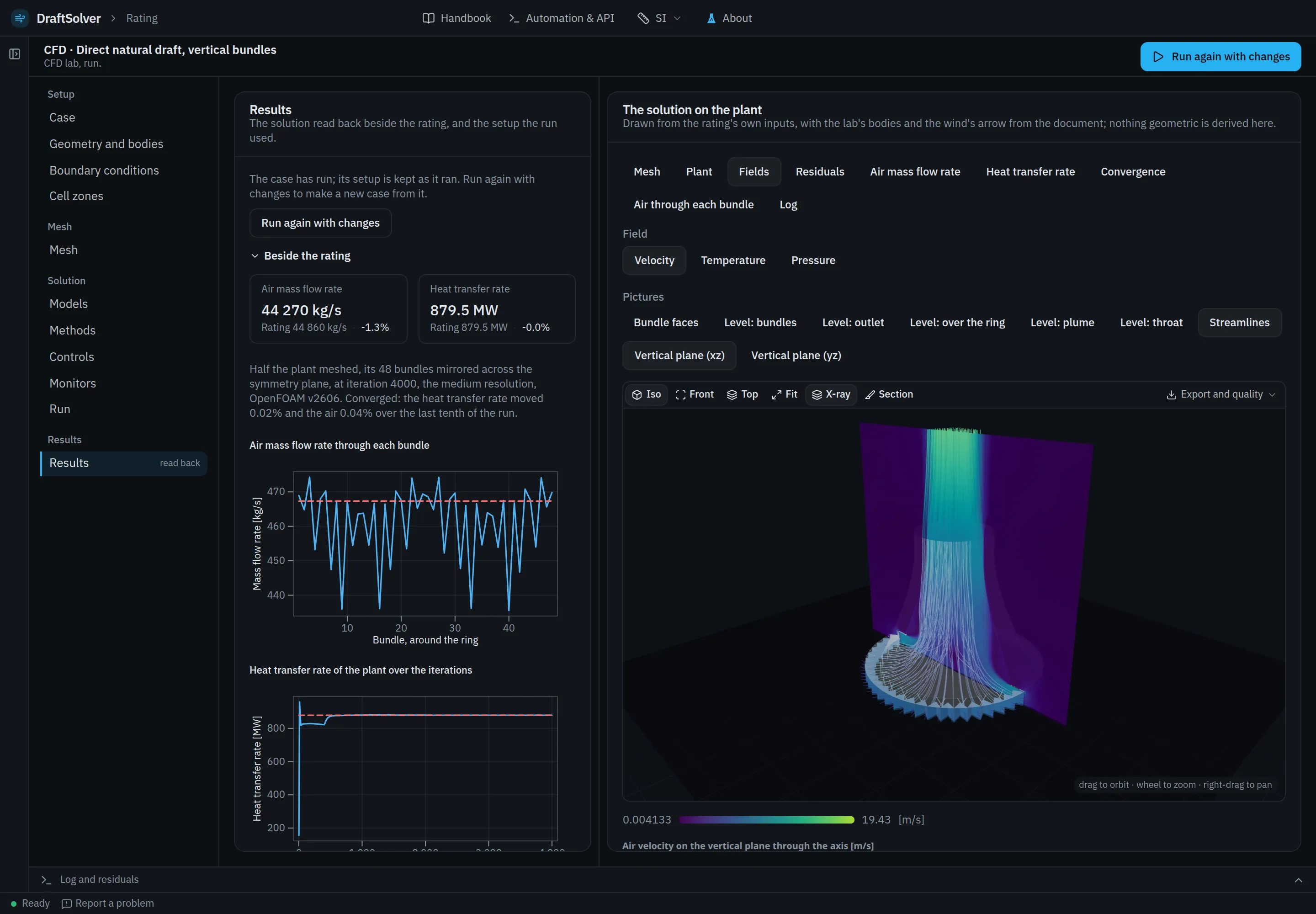
One node: the solution read back beside the rating, and its fields on the plant.
Beside the rating
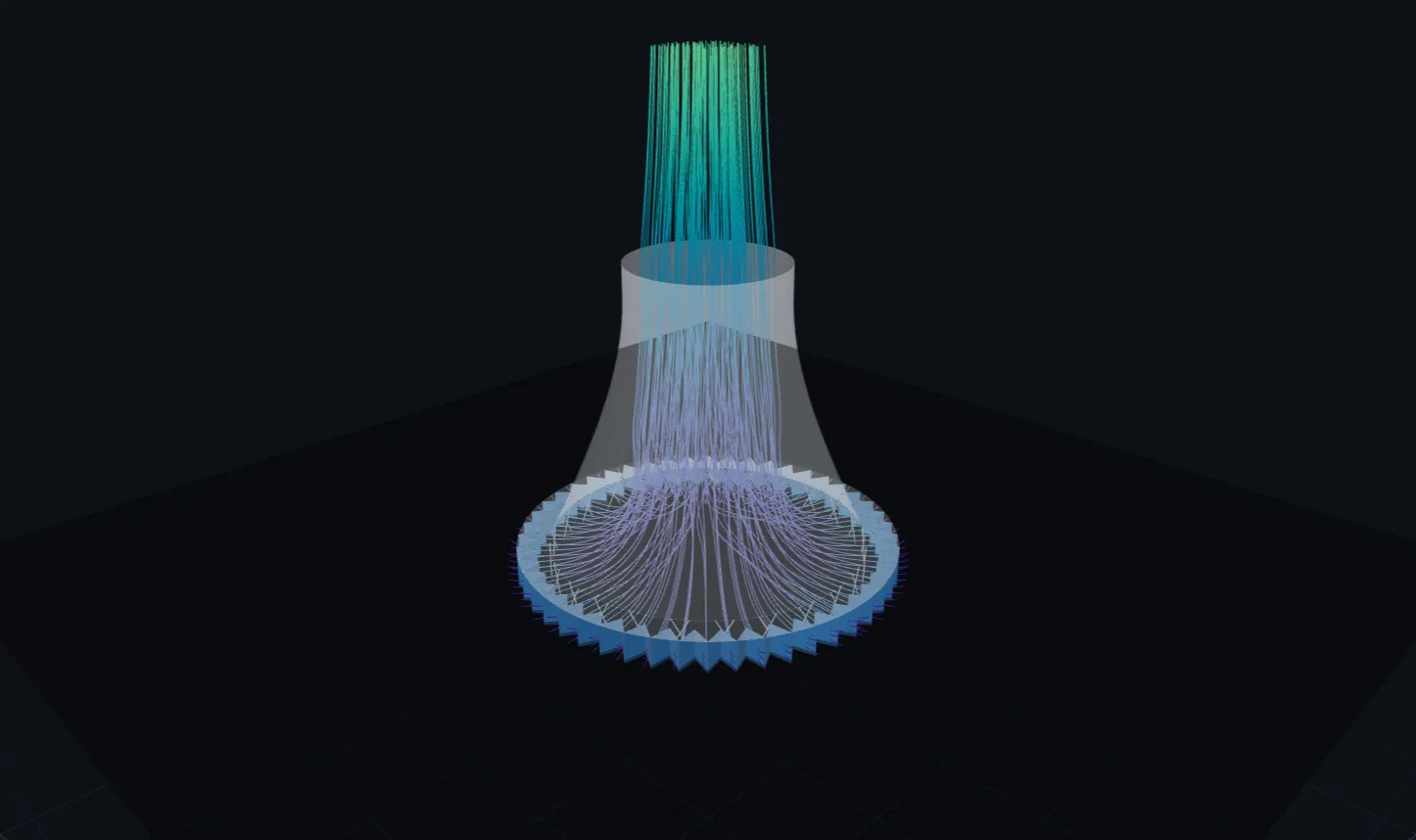
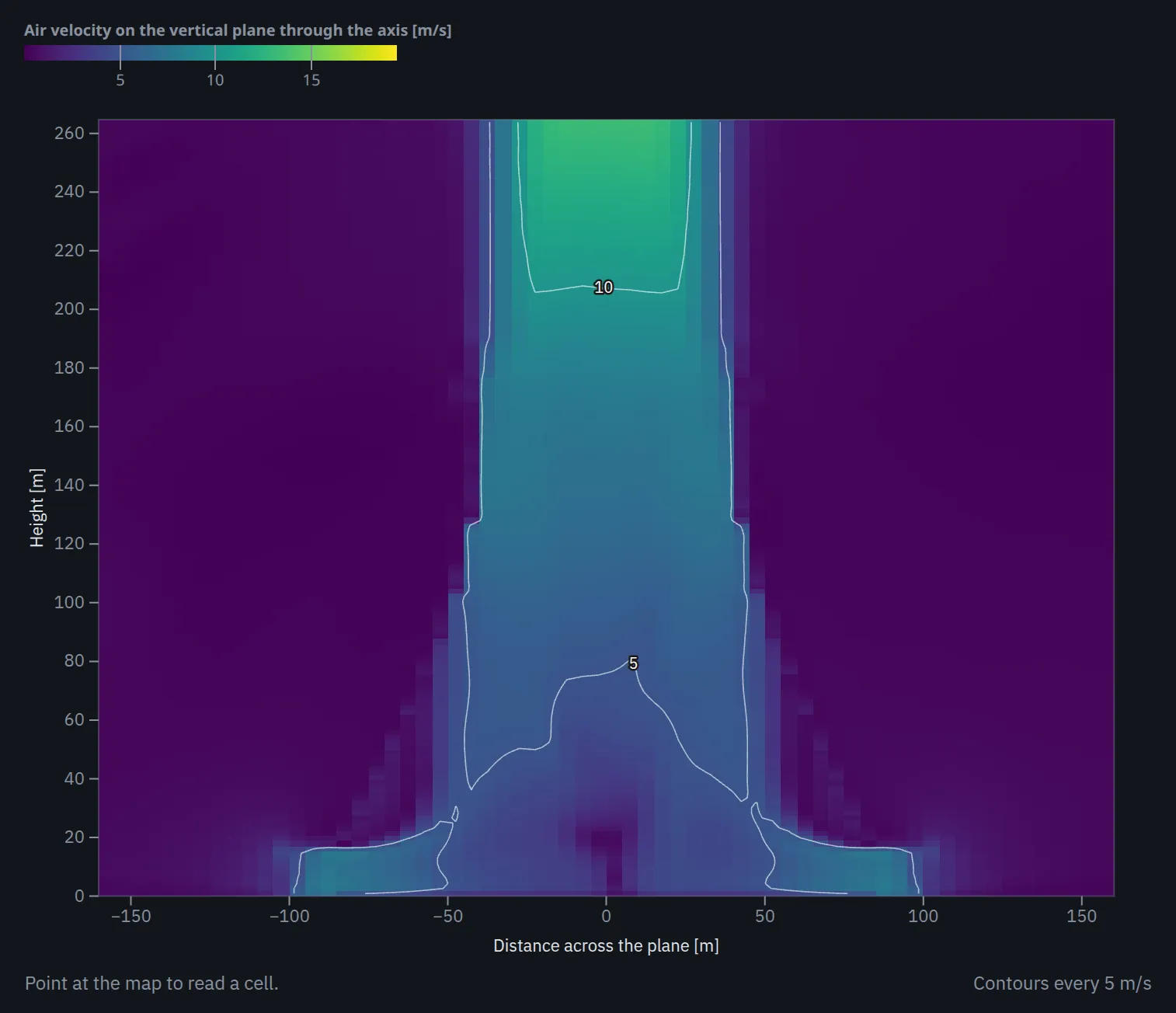
The solution is read back into the app and set beside the rating it came from: the air mass flow rate and the heat transfer rate of the plant, and of each fan, tube row or bundle, with the convergence of the run stated. The mesh, its statistics and the solution's fields are drawn on the plant in 3-D, with cut planes and streamlines.
The two are models of one plant, and the comparison validates neither.
Credits
One credit is one core-hour of CFD compute. A run on Adiabat's compute is charged the core time it used, at least 5 credits, and its estimate is shown before it starts. Ratings, sweeps, designs, annual runs and transients use no credits. Credits lapse 12 months after they are bought.
Prices are published before launch.
Where it runs
A CFD run is queued for Adiabat's compute service from the browser, and nothing is installed. The case can also be downloaded as an OpenFOAM case (ZIP) to run elsewhere.
OpenFOAM is a registered trade mark of OpenCFD Ltd. Notices
Request early access